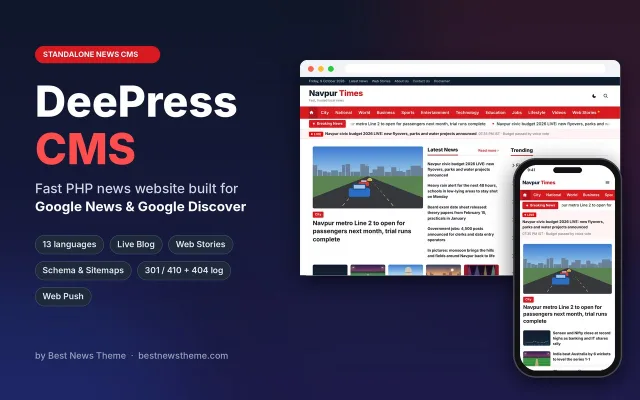
DeePress CMS - The fast news website CMS for Google News & Discover
₹3,499News & Magazine
+ 18% GSTBuy Now

| Category | News & Magazine |
| Version | 1.0.20 |
| Last update | 27 Oct 2026 |
| PHP | 7.4+ |
Prices exclude GST. 18% GST is added at checkout. Digital product: all sales are final, so please try the live demo first.
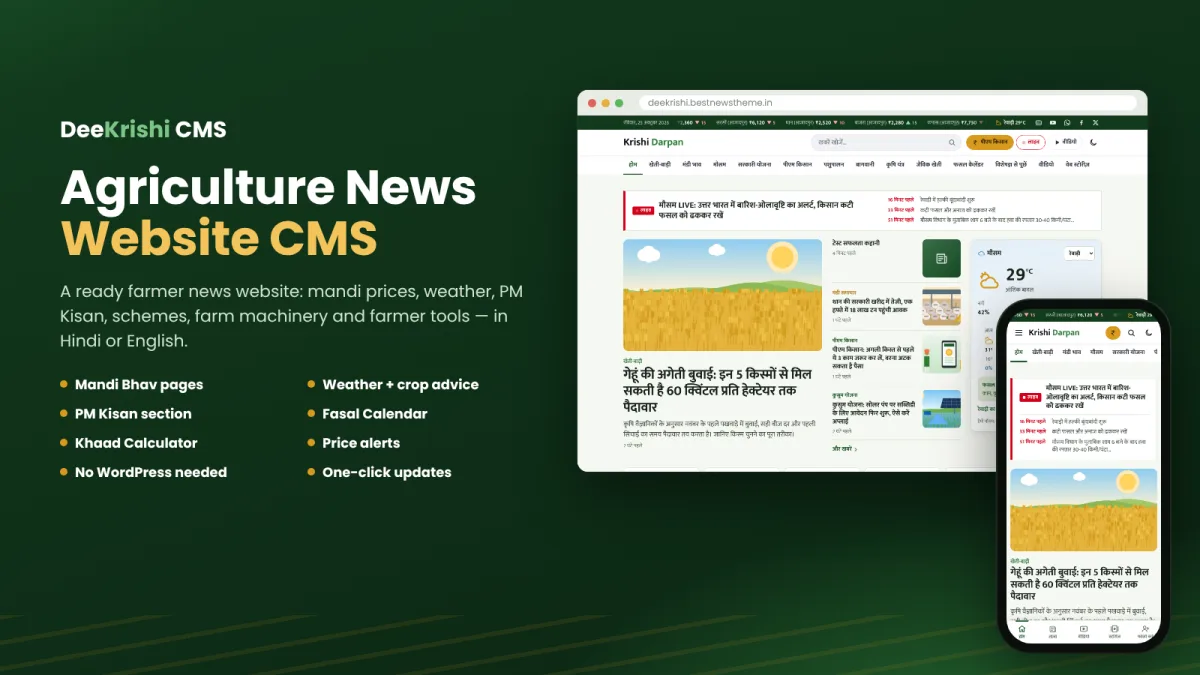
First release of DeeKrishi CMS, the agriculture news CMS by Best News Theme.
/mandi-bhav/, /mandi-bhav/<crop>/ and /mandi-bhav/<crop>/<mandi>/, with charts, history, month-by-month prices, FAQ schema and sitemap entries./mausam/ pages.Improvements and fixes.
Improvements and fixes.
DeeKrishi CMS 1.0.18 — What's new
RSS feed item ids no longer conflict with the "old website" 410 setting
Each story in the RSS feeds used to carry an id of the form yoursite.com/?p=123. With SEO › Indexing › "Tell Google the old website's pages are gone (410)" switched on, those ?p= addresses answer 410 (they are treated as the old website's links), so a new story could have an address that told Google "gone".
Feed items now use a stable id that is not a web address (tag:yoursite.com,2026:post-123). The site no longer publishes any ?p= address of its own, so the 410 setting only ever affects the old website's links.
Feed readers may show the latest items once more after the update, because their ids changed.
Improvements and fixes.
DeeKrishi CMS 1.0.15 — What's new
Homepage H1 heading
New field SEO › Titles & Meta › Homepage H1 heading, for example Virat Bharat – किसान समाचार, मंडी भाव और मौसम.
The homepage's main heading (H1) is now this text, so Google reads what the site is about, not only its name. Readers still see the logo exactly as before; the heading text is read by Google and screen readers.
With a text logo whose heading starts with the site name, the name is read once, followed by the rest of the heading.
Left empty, the homepage heading stays the site name, as before.
The dark-mode logo no longer repeats the site name for Google and screen readers.
DeeKrishi CMS 1.0.14 — What's new
Pictures in Google Images belong to their own stories
Home, section, tag, place, Videos/Photos, date and Web Stories list pages now tell Google not to index their pictures (noimageindex). The pages themselves stay in Google.
Story pictures on list pages and sidebars use only the smaller copies (up to 640 px, 1280 px for the big lead picture), never the original file. The full-size picture appears only on the story's own page, so Google Images shows the story — not a section page — as the picture's page.
New setting: SEO › Indexing › Pictures in Google Images (on by default).
Phone header
The search and dark-mode icons are no longer shown in the header on phones and tablets.
The PM Kisan and Send story buttons are bigger on phones, with their name written under the icon, so readers know what each one does.
Phone bottom menu
Send story (camera icon, in green) is now in the bottom menu and takes the place of the Menu button. The full menu is still in the header (☰).
DeeKrishi CMS 1.0.13 — What's new
404 log: act on many addresses at once
Every address in Tools › Redirects & 404s › 404 log now has a checkbox, with a "select all" box at the top.
Choose an action and press Apply to selected, or Apply to all to act on every address in the log (not only the 100 shown):
410 Gone — for old pages deleted for good; Google drops them from its index faster.
301 Redirect to… — a box appears for the new address; all chosen addresses redirect there.
Remove from the log — clears the chosen addresses without adding a redirect.
Addresses that get a 410 or 301 are added to the Redirects list and removed from the 404 log. The homepage is never redirected, and an address is never redirected to itself.
The 404 log count now shows the total number of addresses in the log.
DeeKrishi CMS 1.0.12 — What's new
Author page: article count, "Read all articles" and the author's photos
Photos in the author profile: in Users › Profile there is a new Photos box. Writers (farmers or agriculture experts) can add up to 60 photos of their journey — field, crops, harvest, training, awards — write one line about each photo and change the order. Photos can also be dragged onto the box.
Author page, under the profile: the number of articles (and photos) and a Read all articles button that jumps to the article list.
Photo block: the author's photos in a card grid with the one-line note under each photo. The first photo is shown large on computers; 2 photos per row on phones, 3 on tablets, 4 on computers. The first 12 (13 on computers) show at once, with a "See all … photos" button for the rest. Tap any photo to open it full screen with its note, and swipe or use the arrow keys to move between photos.
The article list now has its own heading, "Articles by …".
DeeKrishi CMS 1.0.11 — What's new
Links to the "Send your story" page where every reader sees them
Header button: a green "Send story" button with a camera icon next to the PM Kisan button. On phones it shows as a round icon beside the PM Kisan icon (hidden only on very narrow screens under 345 px so the logo is not covered).
End of every success story: a box "Do you also have a success story?" with a button to send one.
End of every video story: a box "Have a video of your farm work?" that opens the video tab of the page.
Homepage success stories section: a line under the cards with a link to send your own story.
All of these show only while the page is switched on in Krishi › Farmer Tools.
DeeKrishi CMS 1.0.10 — What's new
Send your story: success stories, videos and expert articles from readers
New page /kahani-bhejein/ with three tabs:
Success story: the farmer writes name, mobile, village, what they grow, land, income (optional), their success in one line and the full story, with 1 to 5 photos.
Video: upload a video file (MP4, MOV, WebM or 3GP; up to 50 MB by default) or paste a YouTube / Google Drive link, with an optional cover photo.
Expert article: experts registered in the Kisan Sawal Expert corner send articles (with up to 3 photos) after logging in. The Expert corner has a new "Send an article" button.
No links, no rude words: the same check as Kisan Sawal. Only YouTube and Google Drive links are accepted, and only in the video link field. Every entry needs a consent tick; mobile numbers are never published.
WhatsApp button: add your WhatsApp number in the settings and the page shows a "Send on WhatsApp" button for farmers who find WhatsApp easier.
New admin page: Krishi › Sent by readers. See each entry with its photos, play the video, and call or WhatsApp the sender. Create draft story makes a draft post and opens it in the editor:
a success story goes into the Success stories section, with the "Meet the farmer" box filled in, the first photo as the featured image and the other photos in the story;
a video becomes a video post with the video already set;
an article ends with the expert's name, designation and organisation.
Waiting photos and videos are kept outside the public folders until you make a story from them. Delete removes them.
Turn the page on or off, or change its address, in Krishi › Farmer Tools. Set the WhatsApp number and the largest video size in Sent by readers › Settings (limited by your hosting's PHP upload limit, which is shown there).
DeeKrishi CMS 1.0.8 — What's new
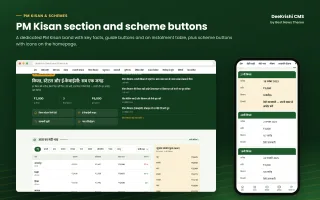
All PM Kisan instalments: the PM Kisan section page now lists every instalment, not only six. The newest six show first; the button "See all … instalments" opens the rest.
Newest first by itself: instalments are put in order automatically by their number (21वीं, पहली, 21st…) or else by date, whatever order they were typed in the admin.
Summary strip: above the list — instalments so far, total paid to one farmer and the date of the latest instalment.
New design: a clean table look on computers and two-line rows on phones (number badge, name, date and farmers, amount, and the note in small text). The latest instalment is highlighted. The [dkr_pmk_kist] block in stories uses the same design.
Up to 100 instalments can be saved (was 40).
DeeKrishi CMS 1.0.7 — What's new
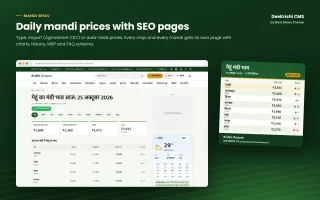
Crop groups in Mandi Bhav: crops are sorted into Grains (अनाज), Pulses (दलहन), Oilseeds (तिलहन), Cash crops (नकदी फसलें), Spices (मसाले), Vegetables & fruits (सब्जियां और फल) and Seasonal vegetables (मौसमी सब्जियां). The group is found automatically from the crop's name (Hindi or English); nothing has to be set. Crops that match no group go to "Other".
New price picker: on the homepage price board and on the Mandi Bhav pages, readers pick a group from the tabs, then the crop from a list, then a state or a mandi. Only groups that have prices are shown.
Homepage board: the table follows the chosen crop and state or mandi; the state or mandi choice is remembered on the reader's phone. The share card uses the same choice.
Mandi Bhav pages: the main page lists crops group by group and the tabs show one group at a time; choosing a crop opens its page; choosing a state or mandi filters the price tables. On a crop-in-mandi page, choosing another mandi opens that mandi's page.
Improvements and fixes.
DeeKrishi CMS 1.0.5 — What's new
Fix: homepage moved left and right on phones. The farmer tools row was a few pixels wider than the screen, so the whole page could be dragged sideways. It now fits the screen exactly, and the page can no longer be wider than the phone.
No jump while loading: crop, month, city and section rows are one line from the first moment the page shows, so they do not change height when the page finishes loading.
DeeKrishi CMS 1.0.4 — What's new
One-line rows for long lists: crop buttons on the homepage Mandi Bhav board and the Mandi Bhav pages, months on the Fasal Calendar, cities on the weather page, sub-sections on section pages and machine types now stay in one line instead of taking several lines. Readers swipe them on phones; computers show ‹ › arrows.
"All" button: when a row has 7 or more items and they do not fit, an All (count) button opens every item in a neat grid (a sheet from the bottom on phones). Picking one works exactly like tapping its button.
Chosen item stays in view: the selected crop, month or section is scrolled into view by itself, also after picking it from the All grid.
Mandi board on phones: the state picker sits on its own full-width line under the crop row.
DeeKrishi CMS 1.0.3 — What's new
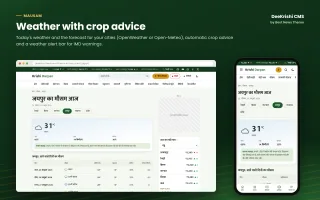
Weather of the reader's own location: the weather boxes on the homepage and in the sidebar have a My location button. After the reader allows location once, the box shows the weather of their own area by itself on every visit, and the top bar shows their temperature too.
Quota safe: places are rounded to about 10 km and each area is read once per forecast interval, so readers in one district share one read. Krishi → Mausam → Settings has the on/off switch and the most new areas read per hour (default 200). Past the limit, or if the weather service fails, the nearest city of your list is shown instead.
Fix: the site's security header no longer blocks location for its own pages (other sites still cannot ask for it through yours).
DeeKrishi CMS 1.0.2 — What's new
Weather reads on LiteSpeed hosting: the hourly forecast (and the mandi price feed) is now read in the background on LiteSpeed servers too, such as Hostinger. Before, these servers updated only through the cron address.
Forecast read when the key changes: when you change the weather service or paste an API key in Krishi → Mausam and save, the site reads the forecast at once.
Clear weather status: Krishi → Mausam shows the last read at the top, in green when it worked and in red with what to do when it did not (wrong or not yet active key, server cannot reach the service, too many requests).
DeeKrishi CMS 1.0.1 — What's new
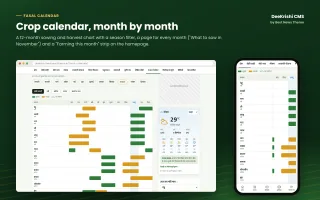
Fasal Calendar: a 12-month sowing and harvest chart of every crop with a season filter, a page for each month ("What to sow in November") with the month's farm work and FAQ schema, and a "Farming this month" strip on the homepage.
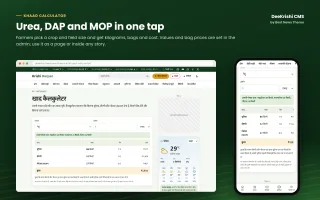
Khaad Calculator: Urea, DAP and MOP in kg, bags and cost for a crop and field size (acre or hectare), as a page and as [dkr_khaad] in stories. Nutrient values and bag prices are set in Krishi → Farmer Tools.
PM Kisan instalments: an instalment table on the PM Kisan section page and [dkr_pmk_kist] for stories, shown as cards on phones.
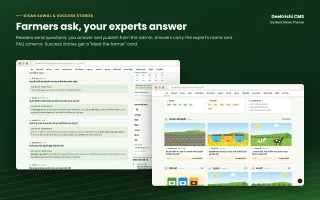
Kisan Sawal: readers ask farming questions; editors answer and publish them from Krishi → Kisan Sawal. Answers show with the expert's name and FAQ schema. Spam protection is built in.
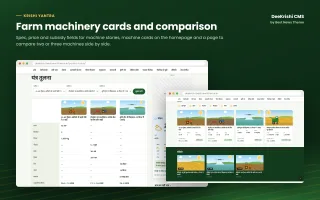
Compare Machines: two or three machine stories side by side with specs, estimated price and subsidy, plus a "Compare" button in machine stories.
Success stories: a Success Stories section, a "Meet the farmer" card in the story (farmer, place, farming, land, income) and income cards on the homepage.
Weather alert bar: a yellow, orange or red warning bar under the menu, with a link and an end time (Krishi → Mausam).
OpenWeather: the weather can now come from OpenWeather (free API key, current weather and 5 days, commercial use allowed) or Open-Meteo (7 days). Choose in Krishi → Mausam → Settings. The weather boxes show the data credit.
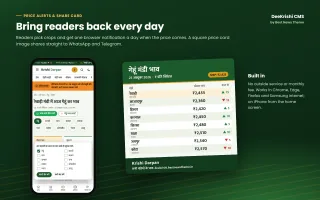
Mandi price card: one tap makes a square price card image for WhatsApp and Telegram, from the Mandi Bhav pages and the homepage board.
Price alerts: readers pick crops and get one browser notification a day when today's price comes. Built in, with no outside service (Krishi → Mandi Bhav → Price alerts).
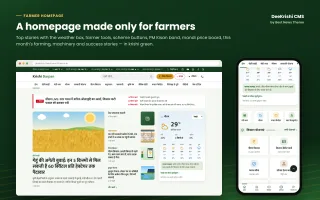
Homepage tools row: quick buttons for Mandi Bhav, Weather, Fasal Calendar, Khaad Calculator, Compare Machines and Ask an Expert.
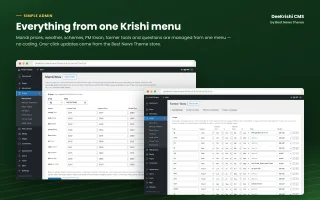
New admin screens: Krishi → Farmer Tools and Krishi → Kisan Sawal, and a Success story details box in the post editor.
Updating from 1.0.0: the crop calendar, monthly farm work and calculator crops are filled in automatically in your site language, and a Success Stories section is created. Your menu is not changed; add Fasal Calendar and Kisan Sawal links in Appearance → Menus if you want them.
Added New Features:
Fasal calendar
Khaad calculator
Kist / yojana status tracker
Mandi bhav ke liye WhatsApp / Telegram share button